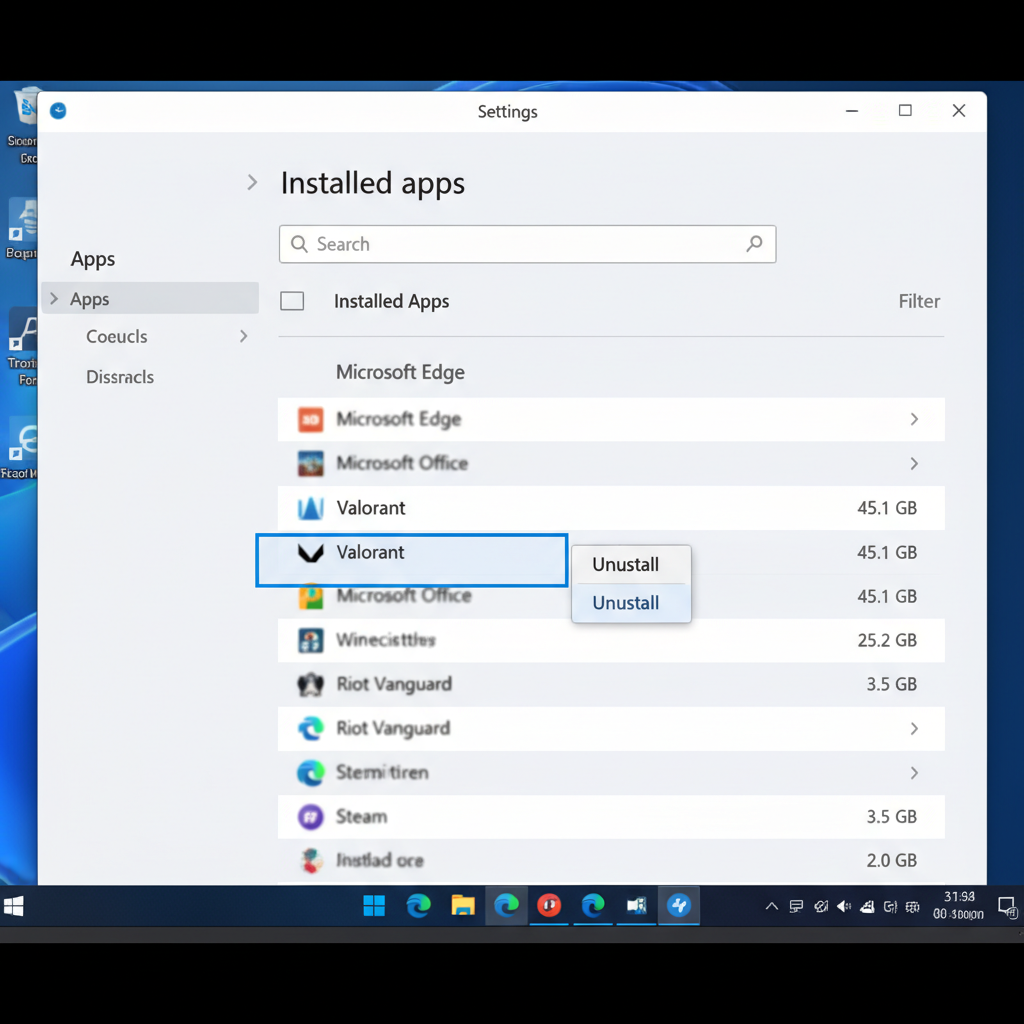
Valorant doesn’t come with a clean uninstall button. If you’re wondering how to uninstall Valorant without leaving Vanguard ticking in the background, you need two separate removals, not one.
Last updated: April 14, 2026, verified on patch 12.06.
I learned this the hard way. Uninstalled Valorant last winter for a CS2 grind, assumed Vanguard left with it, then noticed my CPU was still doing invisible work 3 weeks later. Had to redo the whole thing.
How do you uninstall Valorant completely?
You need two separate uninstalls. Remove Valorant through Windows Settings first, then uninstall Riot Vanguard as a standalone app because it runs as a kernel-level driver that stays on your PC otherwise. Delete the leftover Riot Games folders in %appdata% and Program Files to finish the job.
That’s the short version. The long version has a few gotchas, especially if you play League of Legends or plan to reinstall later.
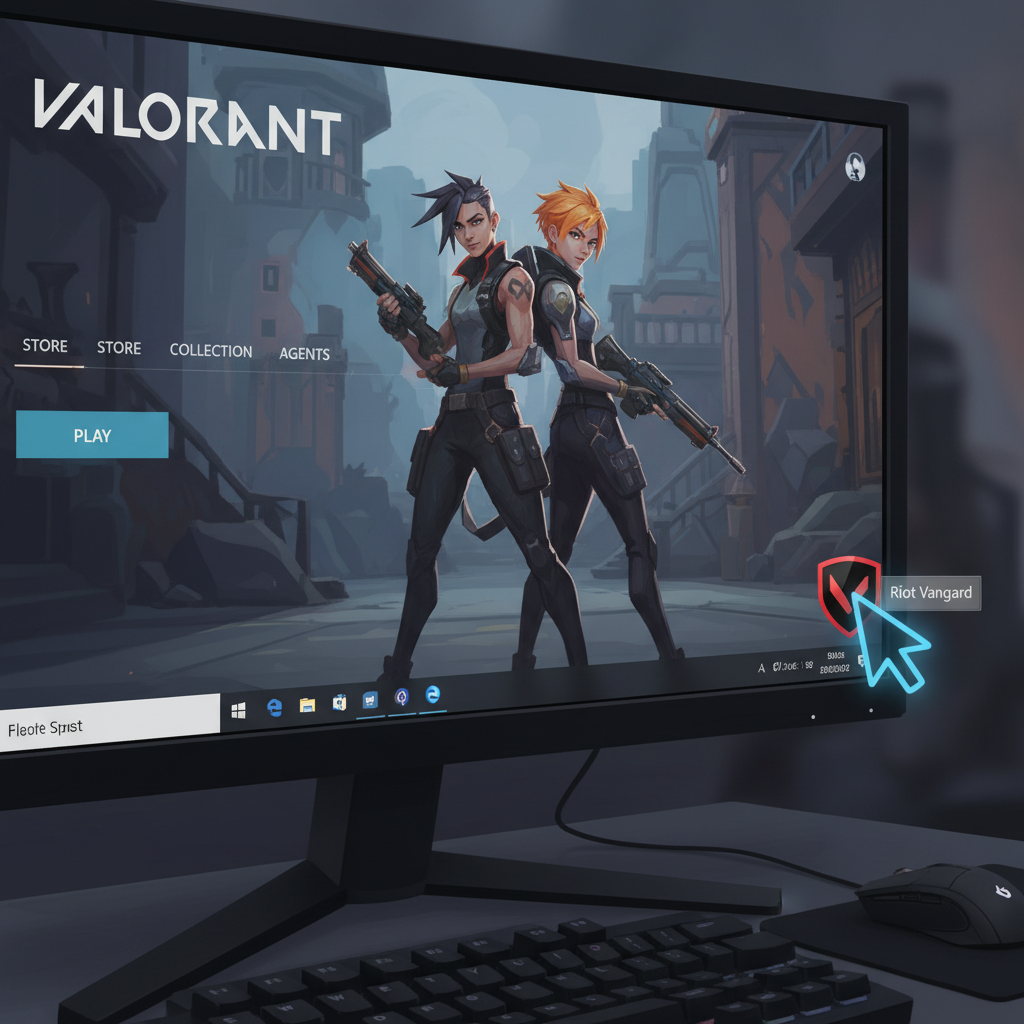
Step 1: Close Vanguard before anything else
Right-click the Vanguard icon in your system tray (bottom-right corner, looks like a little shield). Pick Exit Vanguard and confirm. If you skip this, Windows will throw a “file in use” error when you try to remove the folders later.
Check your taskbar arrow if you don’t see it. Sometimes it hides.
Step 2: Uninstall Valorant through Windows Settings
Press Win + I to open Settings, then go to Apps > Installed Apps. Scroll to Valorant, click the three dots, hit Uninstall. Takes about 30 seconds on an SSD.
You can also do this from the Riot Client, but honestly, Settings is faster. The client method makes you sign in first, which is annoying if you’ve already uninstalled it in your head.
Step 3: Now uninstall Riot Vanguard (the step everyone forgets)
Here’s the part the Reddit posts complain about. Vanguard does NOT leave with Valorant. It’s a separate app with its own uninstaller, and it keeps running until you explicitly remove it.
Go back to Apps > Installed Apps. Find Riot Vanguard. Click Uninstall. Restart your PC.
Per Riot’s official support page: “Vanguard has recently had a bit of an upgrade” with a new system-tray toggle, but the game still won’t run without it, so you’ll have to re-enable it by restarting your computer to get back into the game.
(Translation: if you reinstall Valorant next week, Vanguard comes right back. Removing it is a cold breakup, not a pause.)
What if the Vanguard uninstaller fails?
Happens more than Riot likes to admit. If the standard uninstall throws an error or Vanguard just won’t die, run this manual route:
- Open Command Prompt as Administrator (search “cmd,” right-click, Run as Admin).
- Type
sc delete vgcand press Enter. - Type
sc delete vgkand press Enter. - Restart your PC.
- Go to
C:\Program Files\Riot Vanguardand delete the folder. - Empty the Recycle Bin.
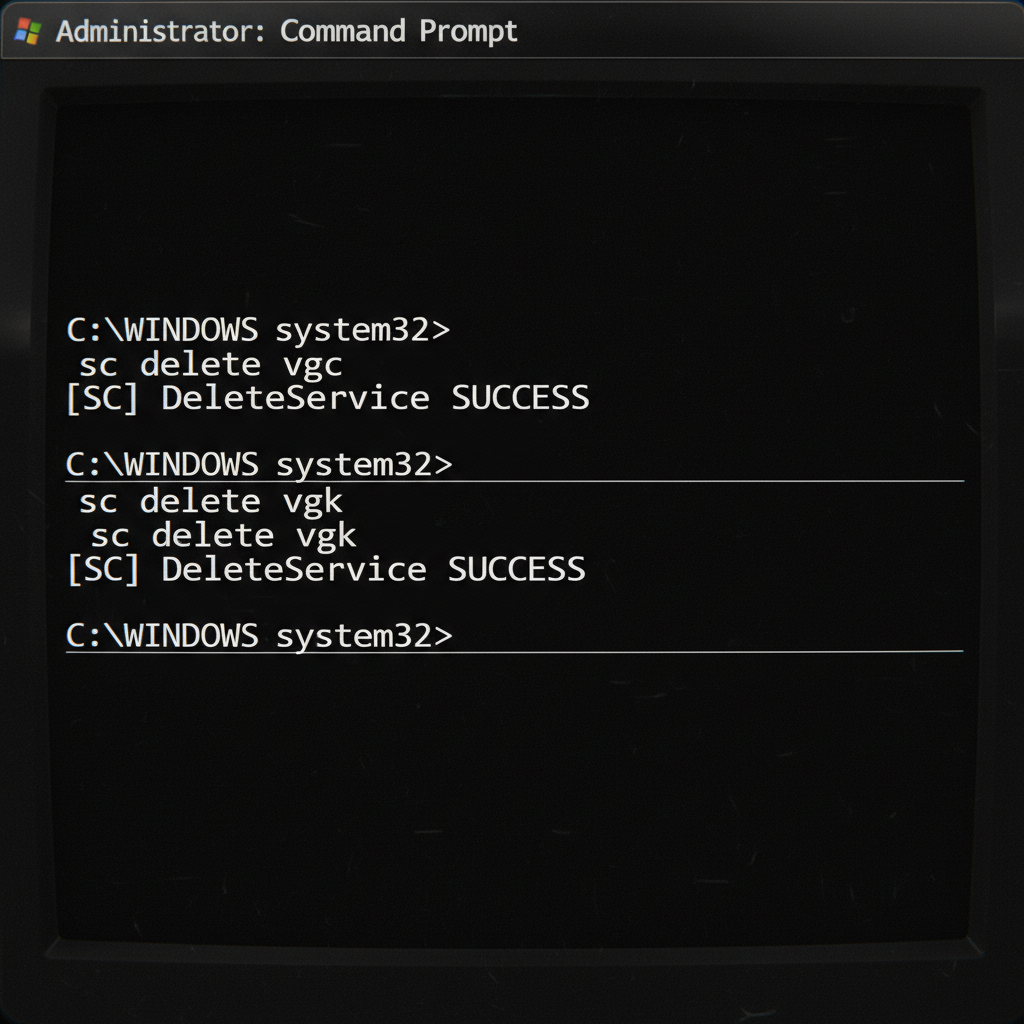
vgc is the user-mode service. vgk is the kernel driver. Deleting both kills the boot-time loader, which is why a restart between steps matters.
I tested this on a Windows 11 24H2 machine running patch 12.06 while cleaning up before a fresh SSD install. Zero Vanguard traces left after I ran through it.
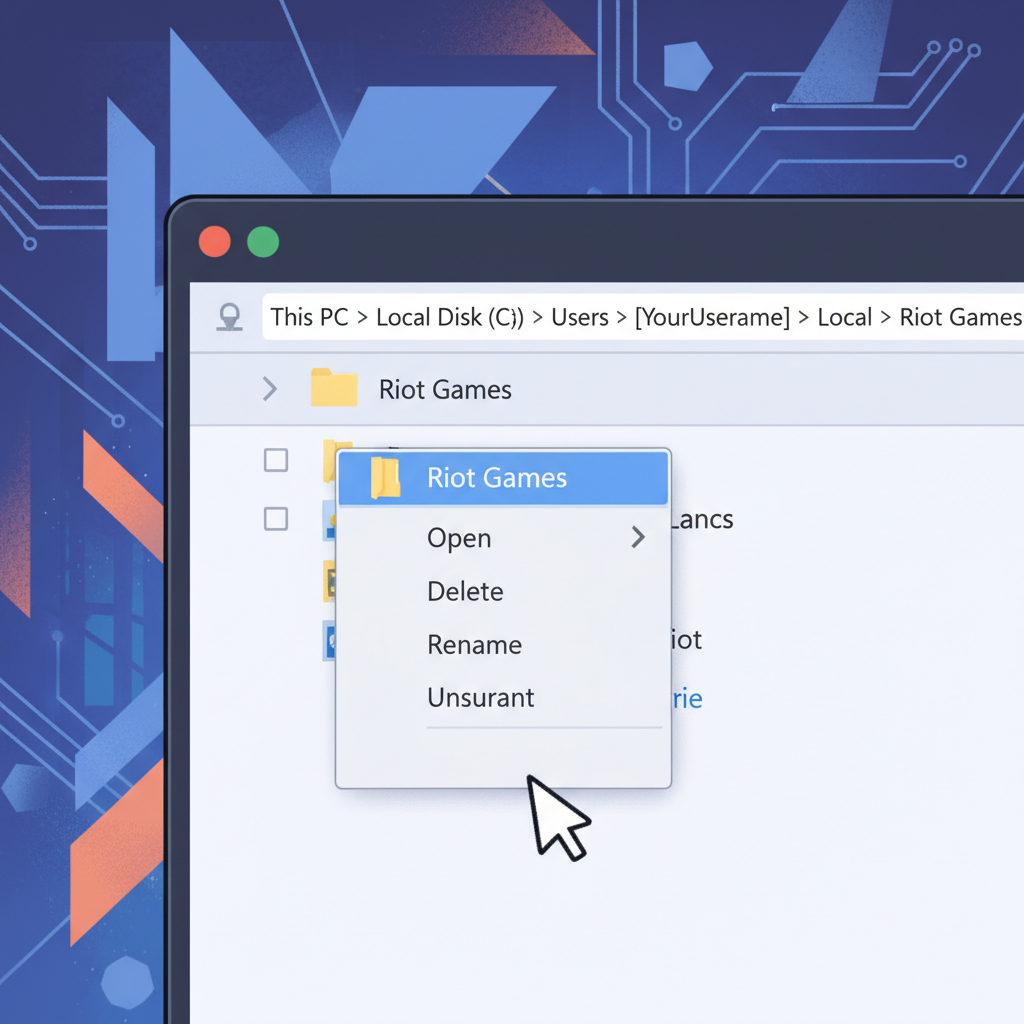
Step 4: Wipe the leftover Riot Games folders
Even after both uninstallers run, Windows keeps a pile of cached config and old logs. These eat disk space and occasionally confuse a future reinstall. Delete the Riot Games folder in each of these spots:
| Location | How to open |
|---|---|
%appdata%\Riot Games |
Win + R, paste, Enter |
%LocalAppData%\Riot Games |
Win + R, paste, Enter |
%ProgramData%\Riot Games |
Win + R, paste, Enter |
C:\Riot Games |
File Explorer |
Heads up: if you still have League of Legends, Teamfight Tactics, or 2XKO installed, do NOT delete the shared folders wholesale. Vanguard now runs on League too, and ripping it out breaks all of them. Only remove the Valorant subfolder inside each.
Does uninstalling Valorant remove Vanguard automatically?
No, and this trips up thousands of players a month. Vanguard is a separate install with its own entry in Apps & Features. Every recent update listed on the Valorant patch notes wiki treats the anti-cheat as a standalone component. You have to uninstall each one on purpose.
The reason is League of Legends. Riot rolled Vanguard into LoL across 2024-2025, so if both games share your PC, killing Vanguard kills both. The uninstaller plays it safe by never removing itself automatically.
How long does this whole thing take?
Under 10 minutes if nothing fails. About 25 if you hit the manual sc delete route. On my current rig (NVMe SSD, Ryzen 7), the full wipe plus two restarts ran 8 minutes flat.
Reinstalling later? That’s a 20-25 GB download depending on the act. You’ll need another full restart after install finishes, because Vanguard demands a boot-time load to initialize its driver. No way around it.
Should you actually uninstall, or just disable Vanguard?
Here’s my take, and you can throw rocks at me for it. If you’re taking a break from Valorant for a month or less, don’t bother uninstalling. Use the system-tray toggle to disable Vanguard, then re-enable when you come back. Saves you the 25 GB redownload.
If you’re done for real or switching to CS2, nuke everything. Vanguard is kernel-level. It has ring-0 access. Trusting any kernel driver you’re not actively using is a bad habit. (Yes, I know CS2’s VAC runs in user mode. That’s kind of the point.)
One opinion with stakes: I think Riot will eventually ship a “pause Vanguard” feature that doesn’t require a full reboot. They’ve been iterating on the system-tray UX all of 2025. Don’t be shocked if patch 13.xx brings an on/off toggle that sticks. If that happens, half this guide becomes irrelevant.
If you’re uninstalling because you’re tired of climbing solo, a Valorant rank boost is cheaper than the 40 hours you’d spend clawing out of Silver yourself. Or if you want a fresh start on a new account with the rank you actually want to play in, you can buy a Valorant account instead of grinding placements.
FAQ
Does uninstalling Valorant delete my account?
No. Your Riot account lives on Riot’s servers. Uninstalling only removes the local game files. Log back in anytime from a fresh install and your rank and skins are untouched.
Can I uninstall Vanguard without uninstalling Valorant?
Technically yes, but Valorant will refuse to launch the next time you open it. The game checks for Vanguard at startup and errors out with “Vanguard not initialized.” Reinstall Vanguard through the Riot Client if you want the game back.
Will sc delete vgc break anything else?
Only if you play other Riot titles. The vgc service powers Vanguard for League of Legends, Teamfight Tactics, and 2XKO now. Deleting it without uninstalling those games will make them crash on launch until you reinstall Vanguard.
Why does Vanguard keep running after I uninstall Valorant?
Because Vanguard is a separate install, not a Valorant subcomponent. Riot designed it that way so one anti-cheat could service multiple games. You have to uninstall it on purpose from Apps & Features.
Does reinstalling Valorant bring Vanguard back automatically?
Yes. The Riot Client bundles Vanguard with every fresh Valorant install. Expect one extra restart during setup to load the kernel driver. If Vanguard fails to install, the game won’t boot.
Wrap-up
How to uninstall Valorant cleanly comes down to this: two apps, two uninstallers. Kill them in order, wipe the AppData folders, you’re done. Grab a Valorant rank boost if the reason you’re uninstalling is because you’re hardstuck, because a clean PC doesn’t fix a tilted climb.